How to Download Your Certificate
To access and download your certificate in the IIA LMS, follow the steps below:
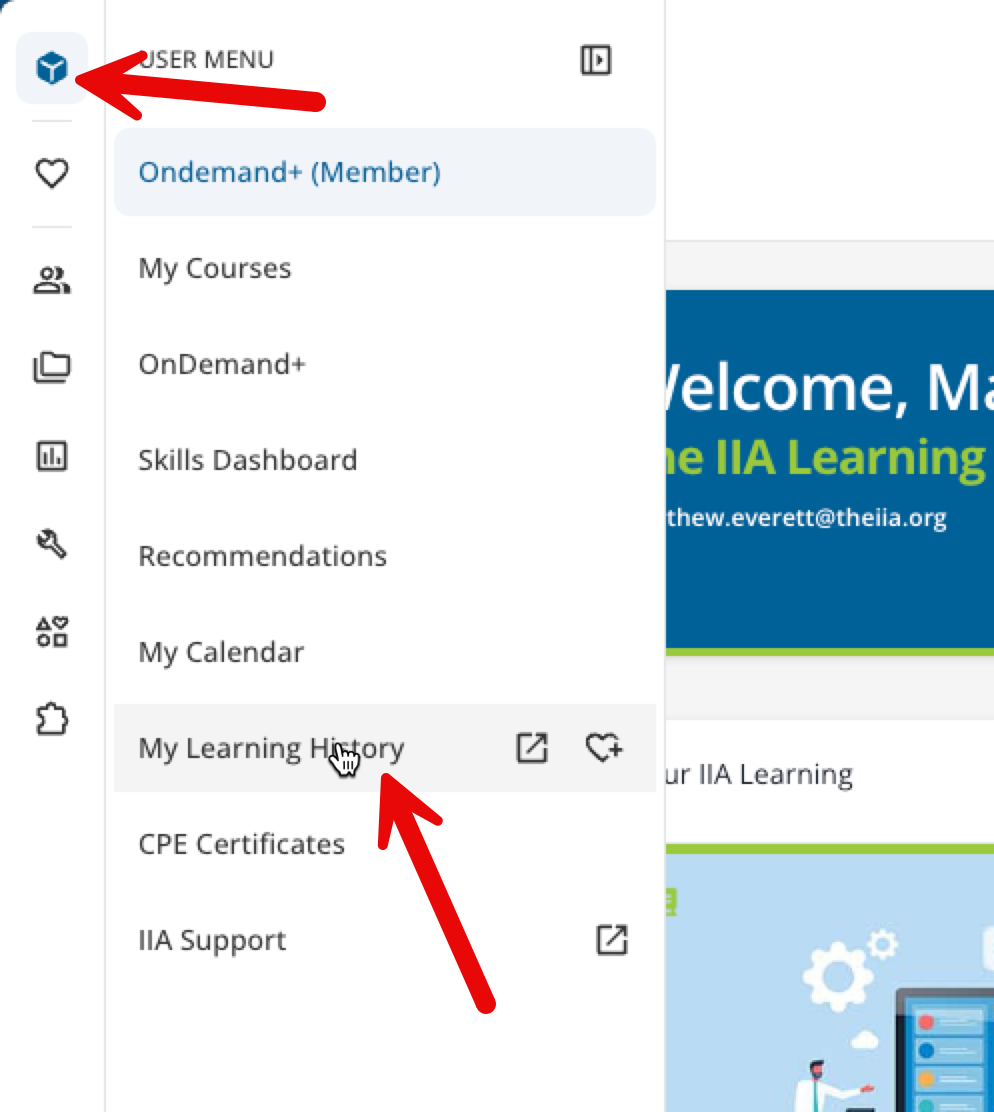
1. Rollover User Menu (Top Left corner)
2. Click My Learning History
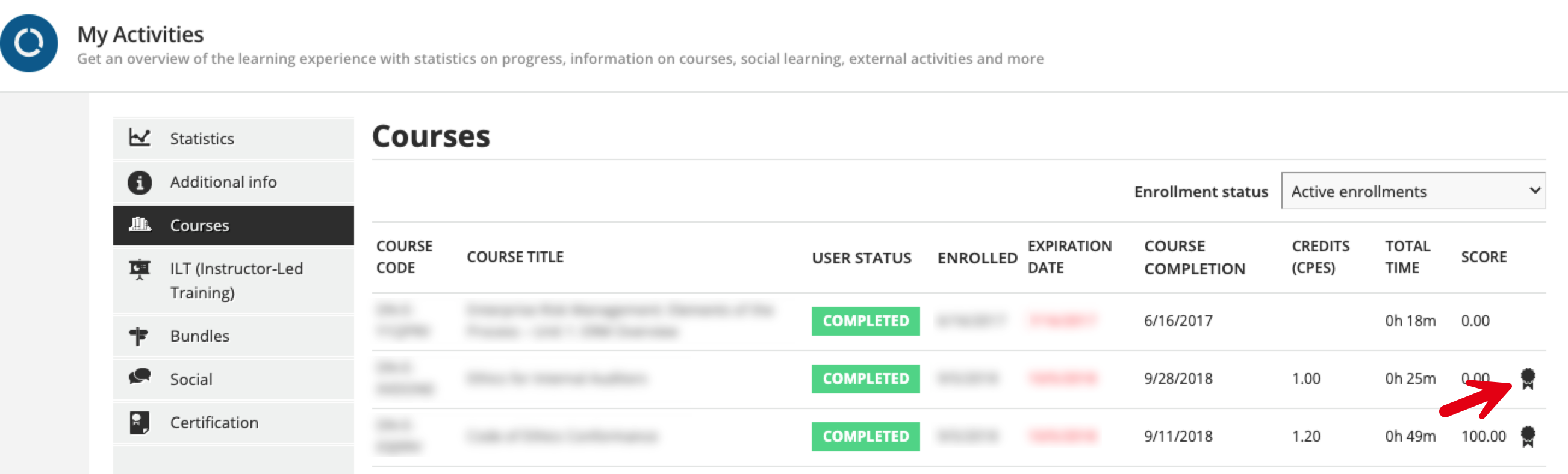
3. Find the Course(s)
4. Click “Download a copy of your Certificate”
Tip: Make sure you are logged in with the same account used for the course registration.
Can’t find a previously completed course? Click Enrollment status and change it to Archive to see if the course has already been archived.
Was this article helpful?
That’s Great!
Thank you for your feedback
Sorry! We couldn't be helpful
Thank you for your feedback
Feedback sent
We appreciate your effort and will try to fix the article